
Stock items - Transactions tab
This will list all posted sales documents (i.e. Invoices, Point-of-Sale Invoices and Credit notes) as well as any posted purchase documents (Purchases and Supplier returns) on which the stock item was selected.
These will only include documents, which have been updated (posted) to the ledger. Quotes and Orders will not be listed.

|
|
The document numbers for Invoices, Credit notes, Purchases and Supplier returns, as prefixed in the Documents setup (Setup ribbon), makes it easy to identify the document type. In addition to these standard document numbers, the following documents may be included:
|

|
|
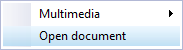
You may use the context menu (right-click) to open selected document(s).
Posted documents = 1. This will open the posted document form, which may be viewed but cannot be edited. |

|
|
You may click on the column headings to change the sort sequence from the ascending to the descending sequence. You may also click and drag any of the column headings to the left or right to change the sequence in which the columns are to be displayed. |
The columns are as follows:
- Date – The date on which the documents are generated and updated (posted) to the ledger.
- Items – This displays the number of items quantities as specified in the Quantity Ship field of document lines.
- Positive Quantities - Purchases and Credit notes – (Stock In).
- Negative Quantities – Invoices and Supplier returns (Stock Out).
- Cost price – The cost price of each item (Exclusive of Input Tax).
|
|
In the case of Purchases and Supplier returns, the cost price and selling price will be the same. |
- Selling price – The selling price of each item (Exclusive of Output Tax).
|
|
In the case of Purchases and Supplier returns, the cost price and selling price will be the same. |
- Document row - To be advised.
- Document no. - The document number as automatically generated.
|
|
If document numbers were not prefixed for each document type, with IN, CR, PU and SR it would virtually be impossible to identify the correct document type. |
|
|
Selling prices 1 / 2 / 3 as selected on sales documents. If not selected on sales documents, these will automatically be used from the following settings:
|
- Reference - The reference number as added in the "Your reference" field of the document.
- User - The name of the User if added in Setup → Access control (Setup ribbon).
- Cumulative - The cumulative quantities
- Posted - Value = 1 - The document is posted (updated) to the ledger.
- Document type - Invoices, Credit notes, Purchases and Supplier returns.