
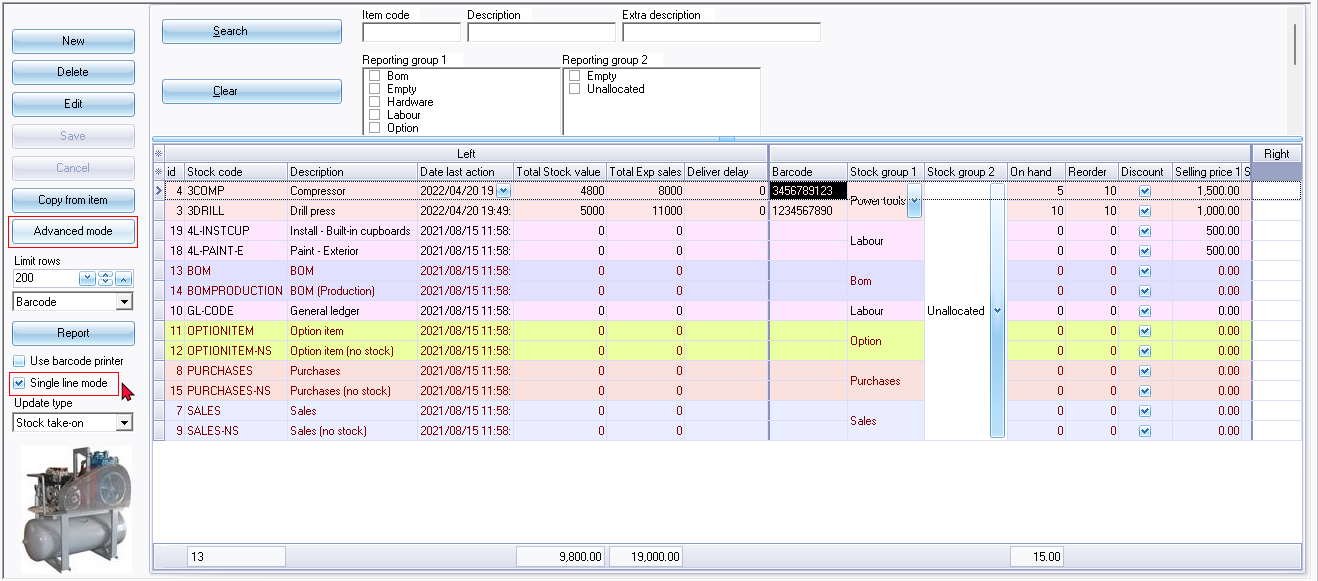
Stock list screen - Default mode
The stock item list screen has two (2) mode options available:
- Default mode option - This is a plain list view of the stock items on which the data in the columns is not editable.
- Advanced mode option - This mode will enable the following options:
- The data in the columns on the stock item grid can be edited (like you would in a spreadsheet).
- Add the Export / Import, Adjust stock and Settings tabs.
By default, the "Single line mode" option is selected (ticked). The details for each of the stock items in the list will display in a single line.
If this option is selected, a column header "Use your mouse to pull a column here to group on that column" will be displayed and the similar data in columns can be grouped.
Default mode : Single line mode - Selected
The details for each of the stock items in the list will display in a single line.
Default mode : Single line mode - Not selected
If the "Single line mode" option is not selected a column header "Use your mouse to pull a column here to group on that column" will be displayed and the similar data in columns can be grouped.

|
|
The column headings are grouped into three (3) bands:
|
