
Page header - COMPANYDATA
The Data in the Page headers on the "Empty.rep" as well as all reports on the Reports menu and User reports menu; except on Document layout files and Debtor statements as well as on Creditor remittance advises, is as follows:
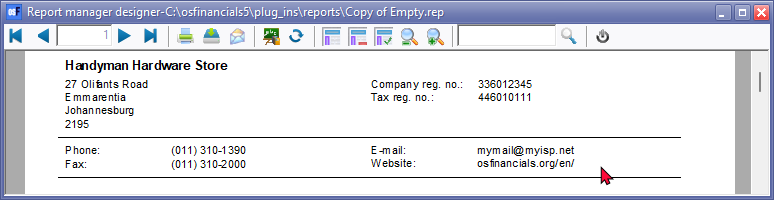
The Company dataset is included the "Empty.rep" report. It contains the data entered in the Setup → Company info menu on the Setup ribbon.
If you are choosing the "New.rep" report, and need to include some details of your company, you need to add the Company dataset to include the details already included Setup → Company info menu on the Setup ribbon.
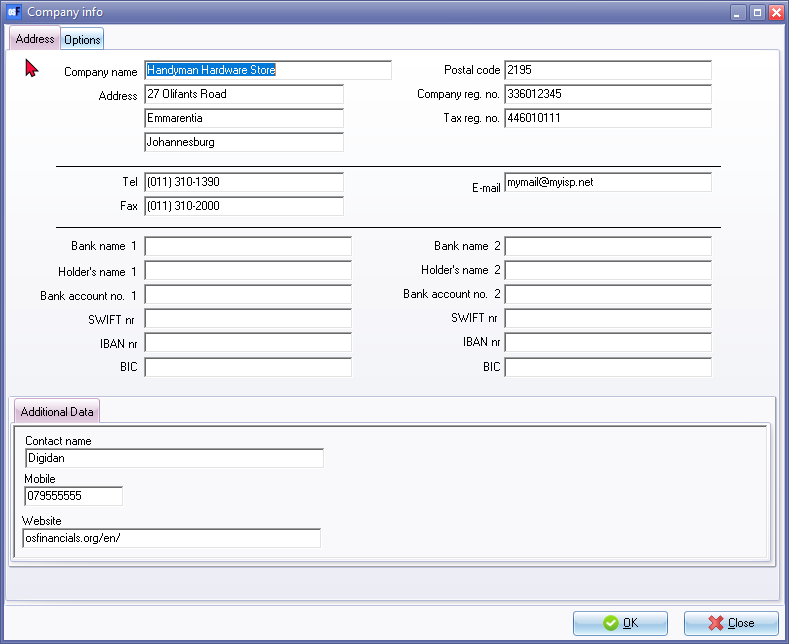
Page header Company Data
The Company dataset is included the "Empty.rep" report. It contains the data entered in the Setup → Company info option on the Setup ribbon.
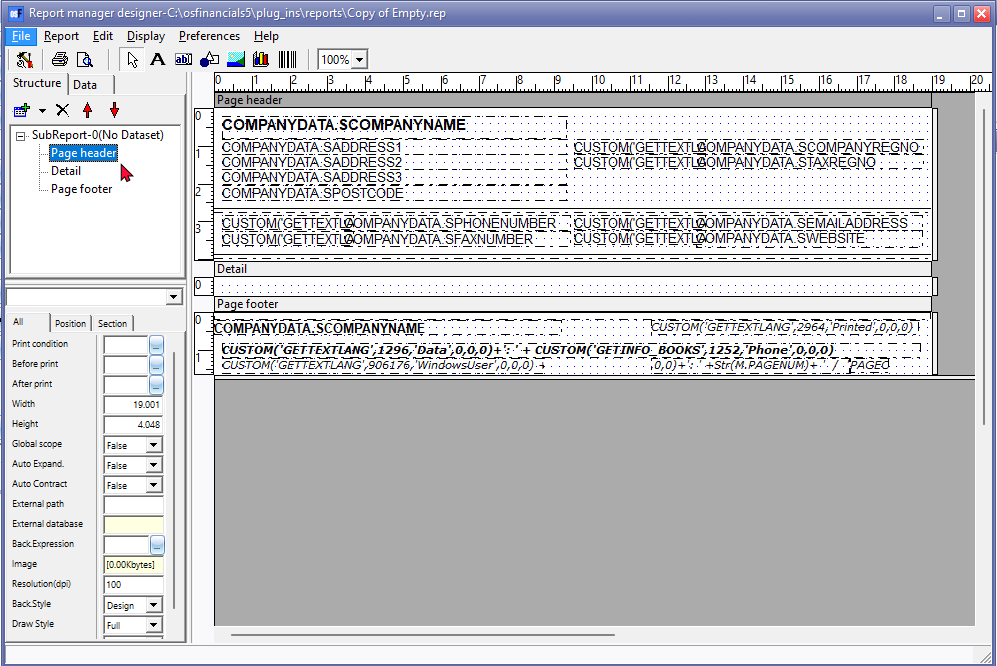
The Page header (as on the "Empty.rep" consists of the following expressions:
|
|
Expression |
SQL |
Description |
|
|
TRpShape0 |
Horizontal line |
Horizontal line |
|
|
TRpShape1 |
Horizontal line |
Horizontal line |
|
|
TRpExpression0 |
COMPANYDATA.SCOMPANYNAME |
|
|
|
TRpExpression1 |
COMPANYDATA.SADDRESS1 |
|
|
|
TRpExpression2 |
COMPANYDATA.SADDRESS2 |
|
|
|
TrpExpression3 |
COMPANYDATA.SADDRESS3 |
|
|
|
TRpExpression4 |
COMPANYDATA.SPOSTCODE |
|
|
|
TRpExpression5 |
CUSTOM('GETTEXTLANG',316,'COMPANY REG nr',0,0,0)+': ' |
|
|
|
TRpExpression6 |
CUSTOM('GETTEXTLANG',317,'TAX nr',0,0,0)+': ' |
|
|
|
TRpExpression7 |
COMPANYDATA.SCOMPANYREGNO |
|
|
|
TRpExpression8 |
COMPANYDATA.STAXREGNO |
|
|
|
TRpExpression9 |
COMPANYDATA.SPHONENUMBER |
|
|
|
TRpExpression10 |
CUSTOM('GETTEXTLANG',974,'Phone',0,0,0) |
|
|
|
TRpExpression11 |
CUSTOM('GETTEXTLANG',189,'Fax',0,0,0)+': ' |
|
|
|
TRpExpression12 |
CUSTOM('GETTEXTLANG',191,'Email',0,0,0)+': ' |
|
|
|
TRpExpression13 |
CUSTOM('GETTEXTLANG',3212,'Website',0,0,0)+': ' |
|
|
|
TRpExpression14 |
COMPANYDATA.SWEBSITE |
|
|
|
TRpExpression15 |
COMPANYDATA.SEMAILADDRESS |
|
|
|
TRpExpression16 |
COMPANYDATA.SFAXNUMBER |
|
COMPANYDATA SQL
The company data SQL consists of two (2) tables (i.e. SYSVARS and SYSVARSEXT) tables in the Database.
To write SQL is actually very simple, for example, “select data from table”, where data is a valid field name (e.g. ScompanyName Company name) in the table and table is a valid table name (e.g. Sysvars). To call the company name and Fax number (as entered in the Company info (Setup ribbon) screen (it is stored in the sysvars table)), you may simply write:
select SCompanyName CompanyName, SFaxNumber Fax from Sysvars
The SQL for the COMPANYDATA dataset included in the "Empty.rep" is as follows:
|
SQL Text |
Data on Company info |
|
|
Select a.*, SCompanyName , SCompanyRegNo , SEmailAddress , SAddress1 , SAddress2 , SAddress3 , SPostCode , SPhoneNumber , SFaxNumber , STaxRegNo , BLOBLOGO, SAccountReportName1 , SAccountReportName2 , SDebtorReportName1 , SDebtorReportName2 , SCreditorReportName1 , SCreditorReportName2 , SStockReportName1 , SStockReportName2 , SBANKNAME1, SBANKNAME2, SBANKNUMBER2, SBANKNUMBER1, SBANKSWIFT1, SBANKIBAN1, SBANKSWIFT2, SBANKIBAN2, SBANKACCOUNTNAME1, SBANKACCOUNTNAME2, SBANKBIC1, SBANKBIC2 from Sysvars , sysvarsext a |
Company name Company registration number Address line 1 Address line 2 Address line 3 Postal code Telephone number Fax number Tax registration number Company logo (Options tab) Account group 1 Account group 2 Debtor group 1 Debtor group 2 Creditor group 1 Creditor group 2 Stock group 1 Stock group 2 Bank name 1 Bank name 2 Bank account number 1 Bank account number 2 SWIFT 1 IBAN 1 SWIFT 2 IBAN 2 Bank account name 1 Bank account name 2 BIC 1 BIC 2 |
SWIFT - (Society for Worldwide Interbank Financial Telecommunication) IBAN - (International Bank Account Number) BIC - (Bank Identifier Code) |
The SYSVARSEXT table is joined to the SYSVARS table in the COMPANYDATA Dataset.
SCONTACTNAME ContactName,
SMOBILE MobileNo
from Sysvarsext
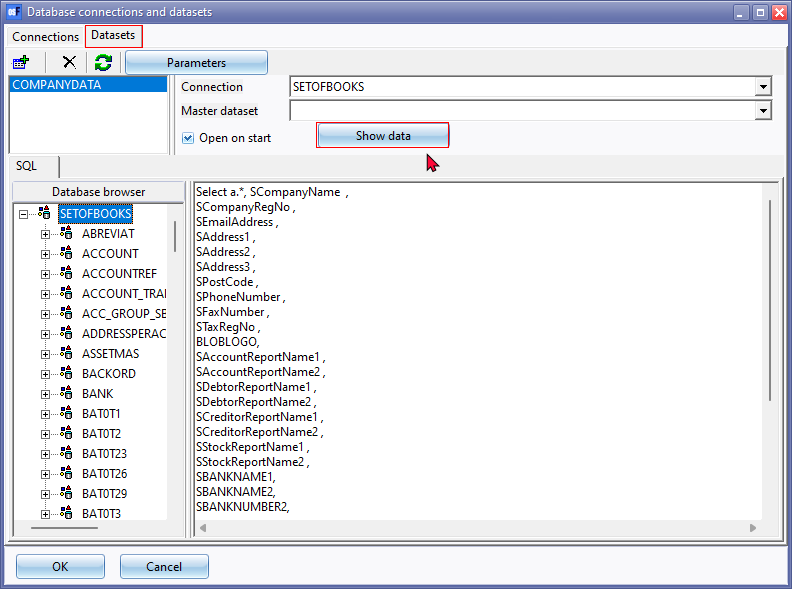
Click on the Show data button.
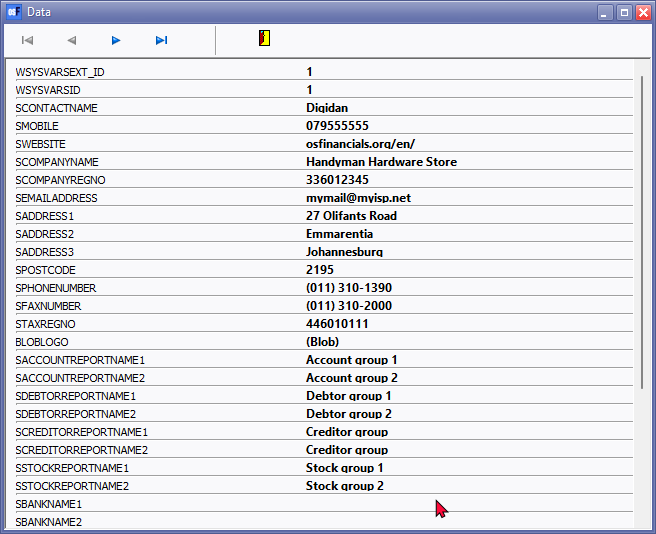
Click on the  Close icon.