Open item - Creditor - Remittance advises
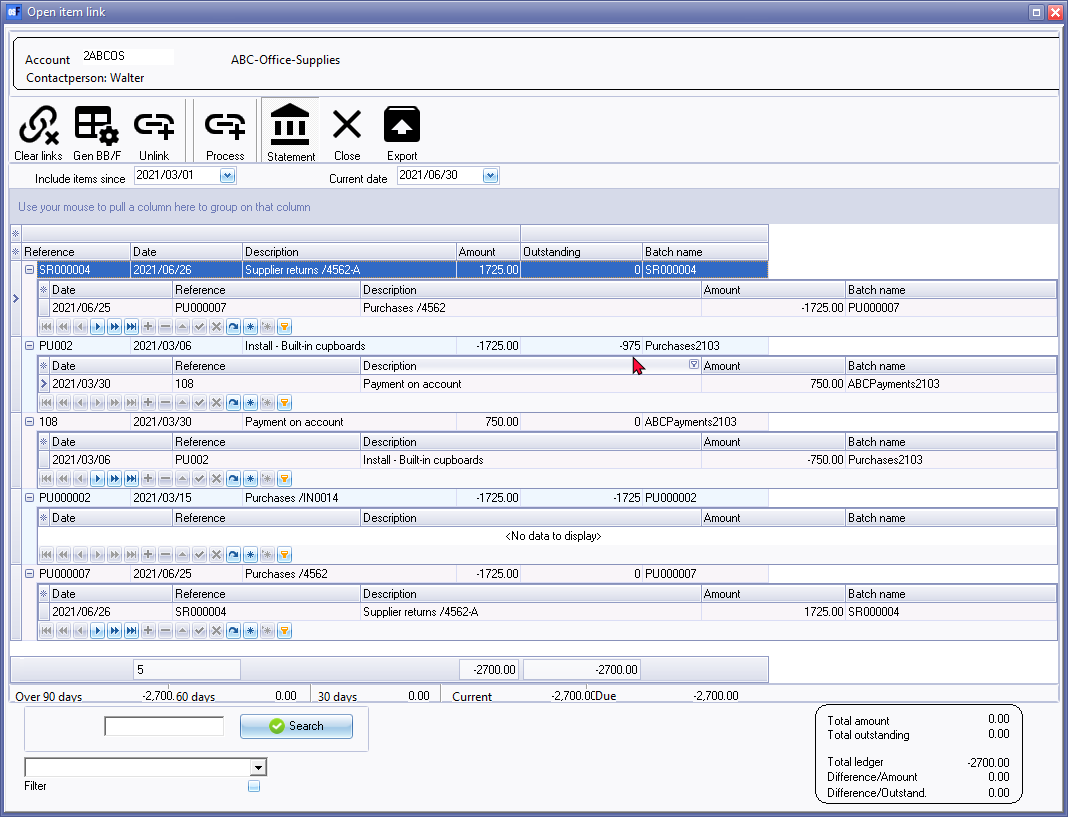
The Open item link - Statement option displays the transactions of the selected creditor (supplier / vendor) account.
|
|
You may click on the |


|
|
Remittance advices -
|

|
|
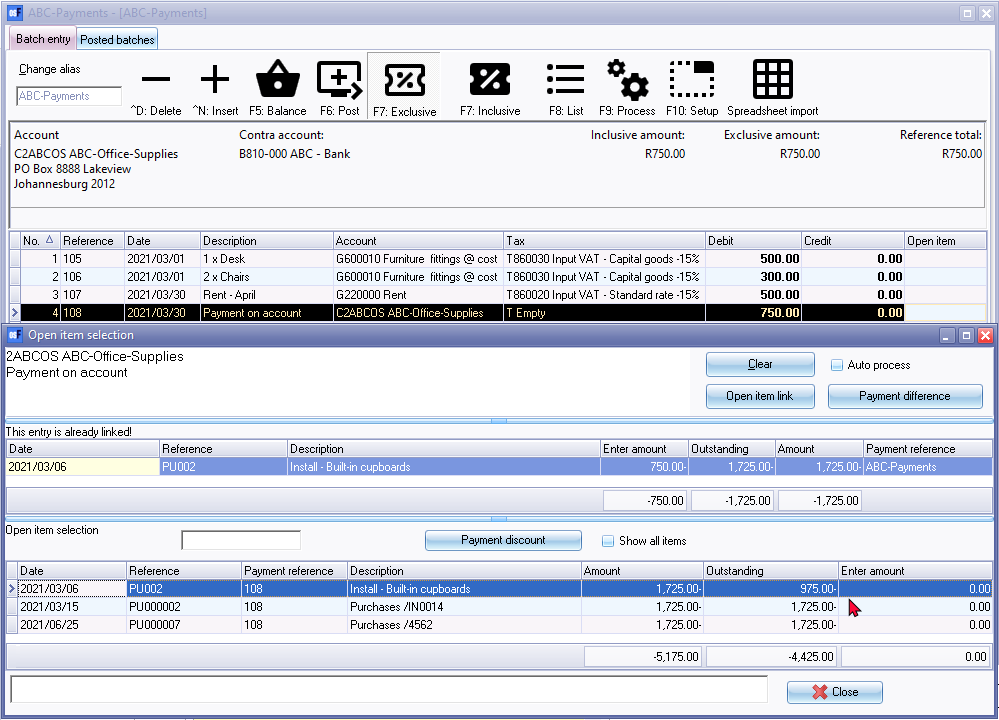
The debit transactions which are linked to specific credit transactions of the same value, will not be displayed. If a transaction of a different amount is linked to a specific transaction, only the outstanding amount (difference) will be listed. An example of transactions in a payments batch link to outstanding transactions on the "Open item selection" screen.
For example, an payment of 750.00 is made to the creditor (supplier / vendor) on 2021/03/30. The payment is linked as follows:
As per this example -
|
|
|
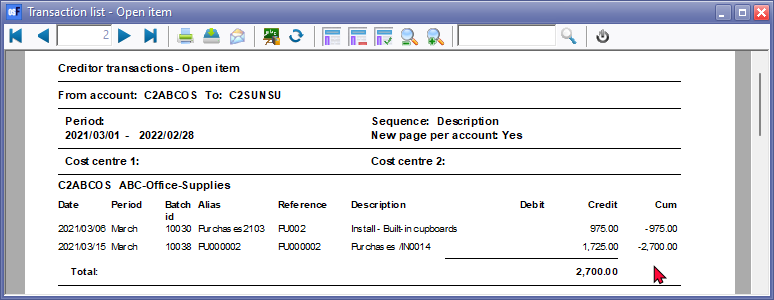
The debit transactions which are linked to specific credit transactions of the same value, will not be displayed. If a transaction of a different amount is linked to a specific transaction, only the outstanding amount (difference) will be listed. For example:
The outstanding amount for this transaction is 850.00 still due to the creditor (supplier / vendor). (1725.00 minus 750.00). Only 975.00 will be listed.
Supplier return SR000004 and Purchase PU000007 will not be listed on the "Transaction list - Open item" report as well as the "Creditor remittance advise - Outstanding".
|
|
|
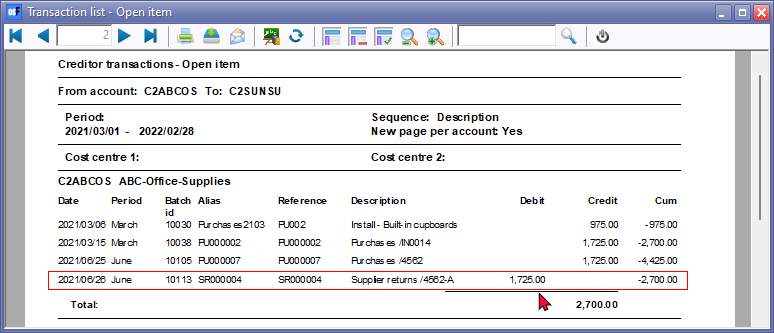
If the transaction for Supplier return SR000004 is not linked to Purchase PU000007, both Supplier return SR000004 and Purchase PU000007, will be listed on the "Transaction list - Open item" report as well as the "Creditor remittance advise - Outstanding".
You may need to process the links on the Open item link (Default ribbon). |