
Batch entry - Context menu - Lookup debtor
In addition to the lookup function in the "Account" column in the "Batch entry" screen, you can choose to lookup a debtor (customer / client) account from the "Debtor accounts" screen. On the "Debtor accounts" screen, you can use the filter and search options to select a specific debtor (customer / client) account.
To select a debtor account in a batch:
- Select a transaction in the batch.
- Right-click and select the Lookup debtor option on the context menu. The "Debtor accounts" list screen is displayed:
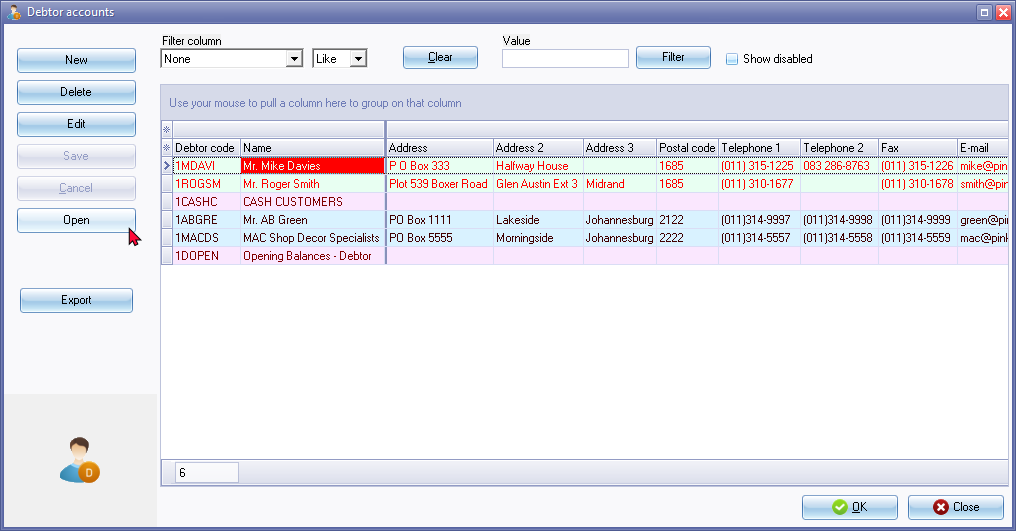
- Select the debtor (customer / client) account. (You may use the sort and filter options to locate a debtor (customer / client) account).
- Click on the OK or Open button. The selected account will be transferred to the account column.