
Help and Support
The Help on the Start ribbon, lists access to help and support information and options to access the osFinancials community.
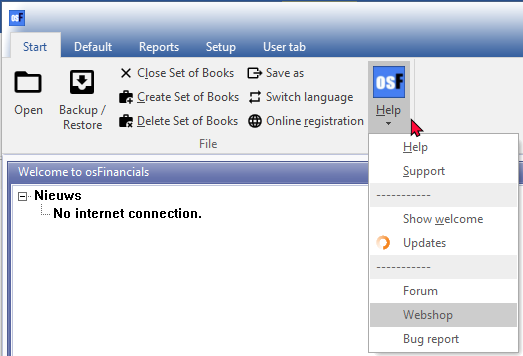
The Help on the Start ribbon, lists the following seven (7) menu items:
- Help - Launches the context-sensitive Help file. You may press F1 to launch the help file from most screens and fields to launch the topic relating to that screen or field.

- Support - This option will display the support information.
- Show welcome - The "Welcome to osFinancials" screen will by default be displayed. It will list the latest News from osFinancials.
|
|
You may set the Calendar as the default to launch in stead of the "Welcome to osFinancials" screen, when you open a Set of Books. |

- Updates - This option will list all the installation files available for download. By default, the Update will be launched when starting osFinancials 5. To disable the check for update at start, select this field and remove the tick.
- Forum - You may access and view the latest and older Forum posts as well as various categories. Should you have a query or an issue, you may search and will probably find a solution to your query or issue. If not, you may post your query or issue. Registered osFinancials users will soon help by posting answers or solutions to your query or issue.
- Webshop - Access to the osFinancials webshop.
- Bug report - Access to the osFinancials Forum page. Should you have a bug or an issue, you may search and will probably find a solution to your bug or issue in the Questions and Answers page. If not, you may post your bug or issue.