
Documents setup - Statement setup
The Statement setup tab allows you to add or edit a global statement message that will be displayed on all debtor statements. Here, you can enter up to three (3) lines of text that will appear on every debtor statement you print using the Reports → Debtors → Debtor statement feature. This is a useful way to communicate important information to your debtors, such as payment terms, contact information, or other relevant details. Once you have entered your statement messages, they will be automatically included on all debtor statements you generate going forward.
Enter global messages to display on all debtor statements:
- On the Setup ribbon, select Setup → Documents setup.
- Select the Statement setup tab.
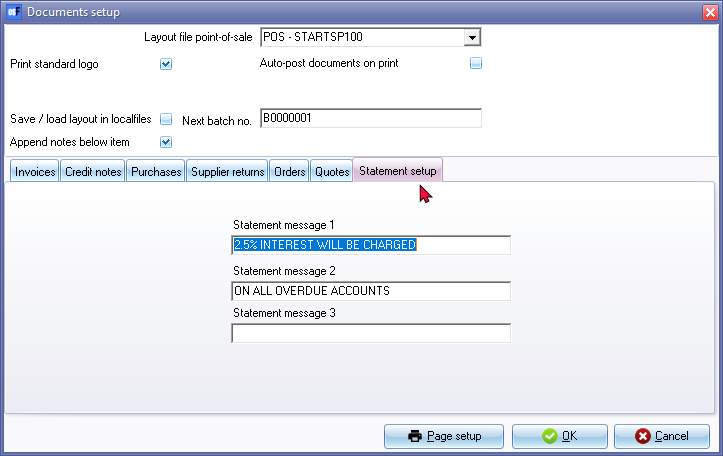
- Enter the message in up to 3 lines to display on the Debtor statements.
- Click on the OK button.
Enter statement messages for specific debtor accounts:
- On the Default ribbon, select Debtors (F4).
- Select the debtor (customer / client) account.
- On the Delivery address tab, enter a message of up to 3 lines.
- Click on the Save button.