Documents setup - General numbers
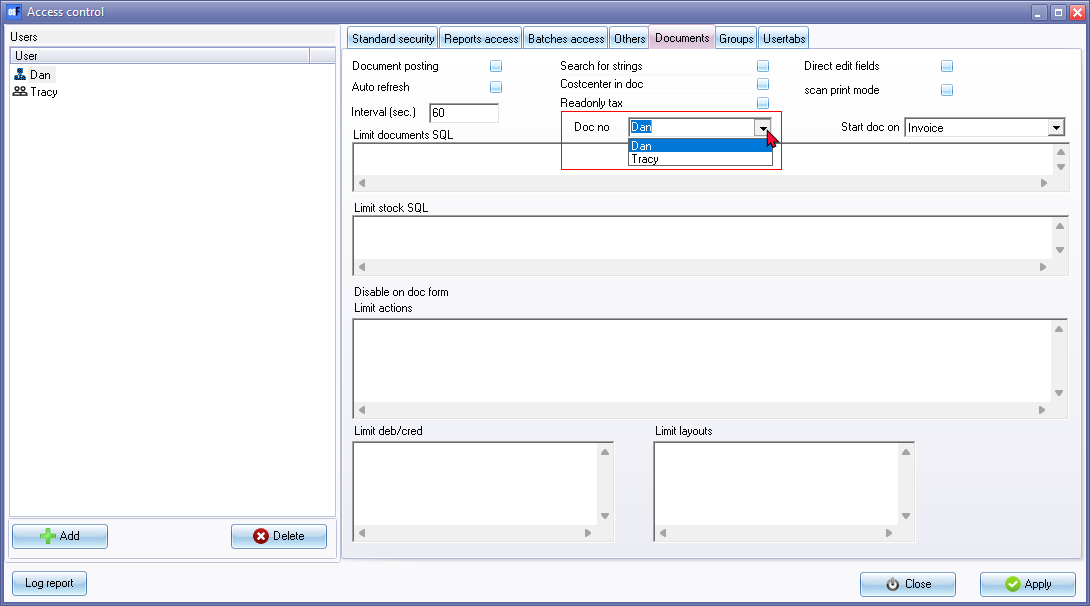
The "General numbers" option will only be available and displayed in a multi-user environment. Once users have been set up, in Setup → Access control (Setup ribbon). the "General numbers" option can be assigned specific users.
To set the General numbers:
- Once users are add in Setup → Access control (Setup ribbon), select Setup → Documents setup on the Setup ribbon.
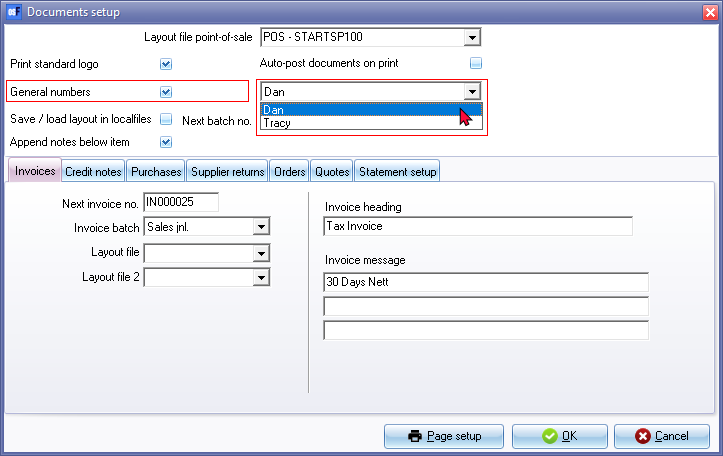
- Select (tick) the "General numbers" option. A list of the users will be displayed. Select the user from the drop-down list; which osFinancials will use to generate document numbers.
- Click OK.
|
|
If the "General numbers" field is not selected (ticked), osFinancials will generate the document numbers numerically. |

|
|
You may also select the user from the "Doc no" field on the Documents tab in Setup → Access control (Setup ribbon).
|