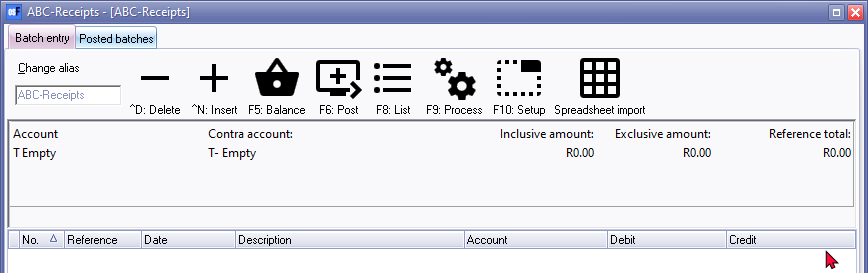
Open item link - Disable / Enable in batches
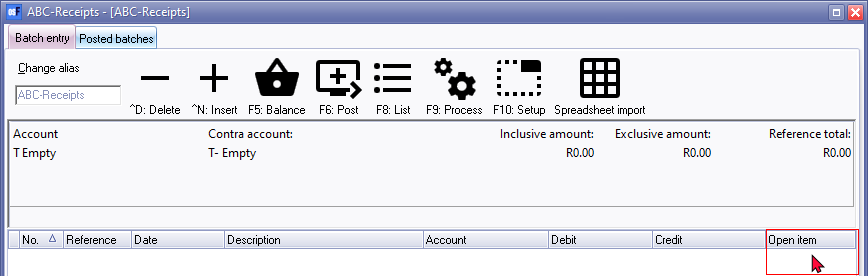
By default, the "Open item selection" feature is enabled in batches. The last column, i.e. "Open item", will be available in "Batch entry" screens.
If the "Open item" column is displayed, and you wish to disable open item processing, you may disable this feature.
To disable open item in batches:
- On the "Batch entry" screen, click F10: Setup.
- On the Advanced tab, add a tick in the "Not open item batch" field.
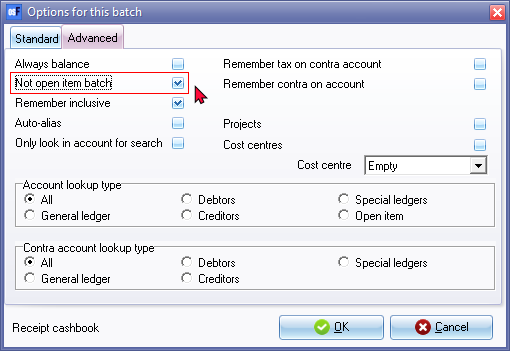
- Click OK. The "Open item" column will be removed from the "Batch entry" screen.