Open item - Debtor - Statements
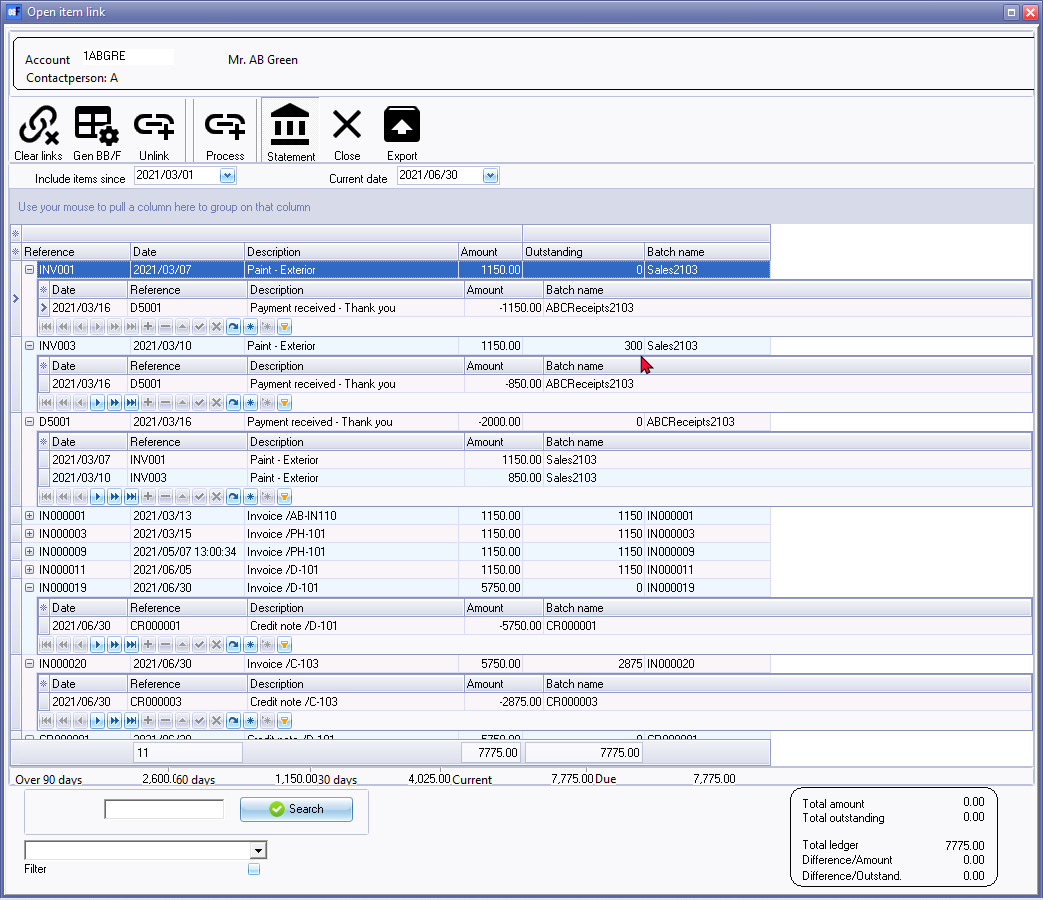
The Open item link - Statement - This is a statement view of the transactions with outstanding amounts included between selected dates for a selected debtor (customer / client) account.
|
|
You may click on the |


|
|
Debtor statements -
|

|
|
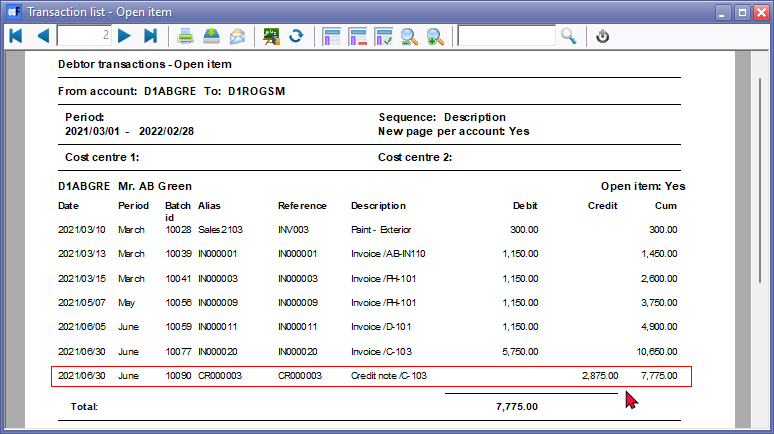
The credit transactions which are linked to specific debit transactions of the same value, will not be displayed. If a transaction of a different amount is linked to a specific transaction, only the outstanding amount (difference) will be listed. An example of transactions in a receipts batch link to outstanding transactions on the "Open item selection" screen.
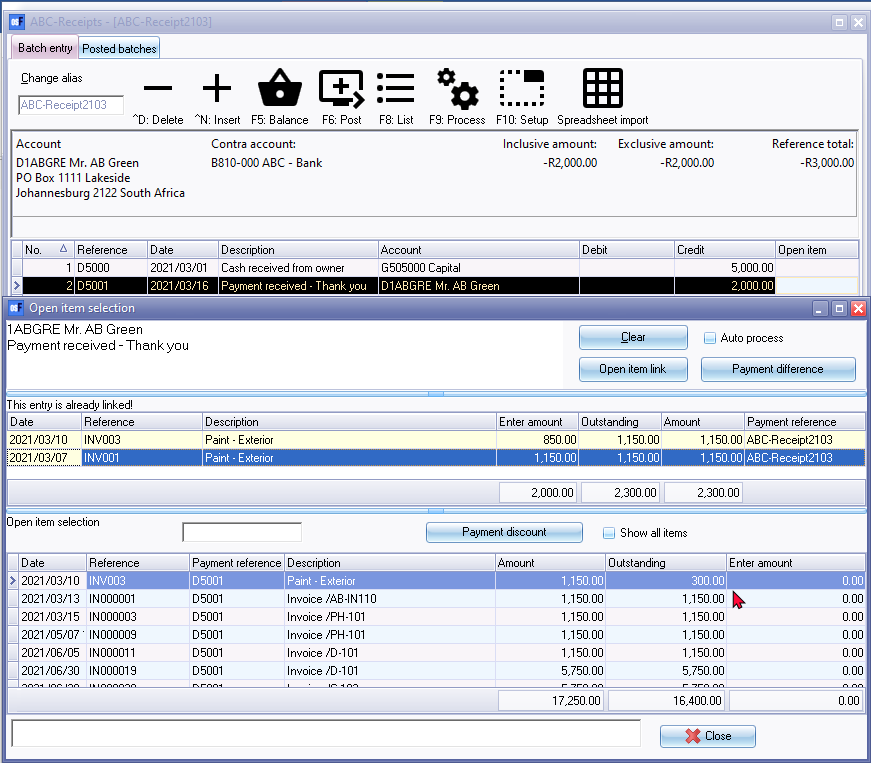
For example, an payment of 2,000.00 is received from the debtor (customer / client) on 2021/03/16. The payment is linked as follows:
As per this example -
|
|
|
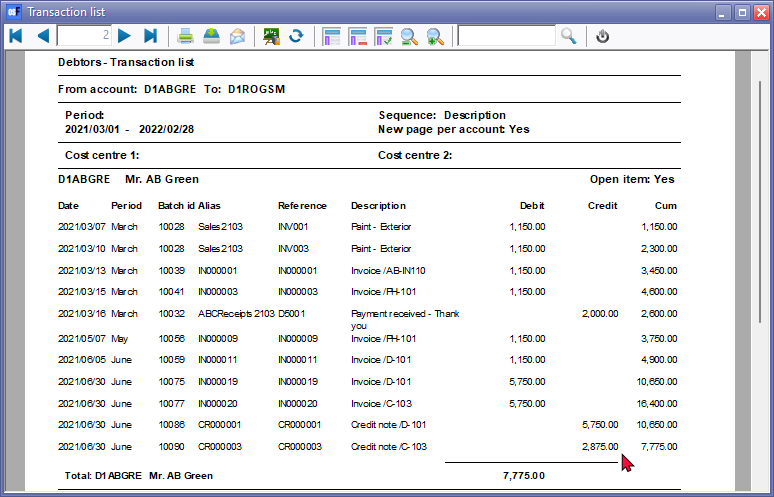
All the credit transactions which are linked to specific debit transactions of the same value, will be displayed. If a transaction of a different amount is linked to a specific transaction, the full amount of the transaction will be listed. |
Debtors - Transaction list reports
View the "Debtors - Transaction list" report.
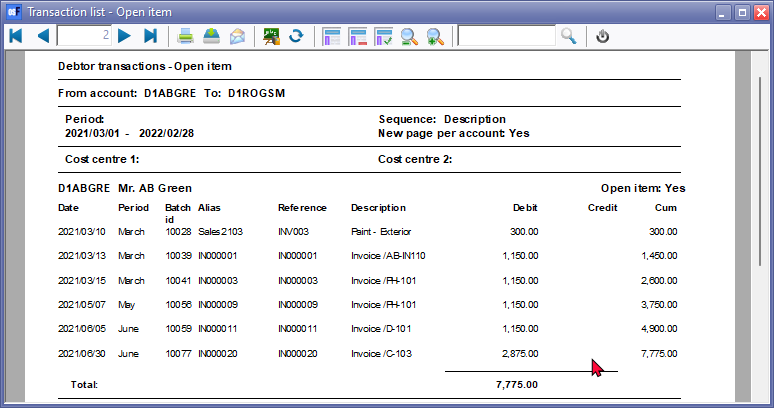
View the "Debtor transaction list - Open item" report.
|
|
If the transaction for Credit note CR000003 is not linked to Invoice IN000020, both Credit note CR000003 and Invoice IN000020, will be listed on the "Transaction list - Open item" report as well as the "Debtor statement - Outstanding".
You may need to process the links on the Open item link (Default ribbon). |