
Document layout files (Translatable)
The layout files selected for each document type on the Setup → Documents setup menu are the global default layout files that will be used to print documents.
Specific layout files may also be selected on the Default ribbon for:
- Each debtor (customer / client) account by selecting a different layout file in the Layout file 1 (Invoices), Layout file 2 (Credit notes), Layout file 3 (Quotes) in the Debtors.
- Each creditor (supplier / vendor) account by selecting a different layout file in the Layout file 1 (Purchases), Layout file 2 (Supplier return), Layout file 3 (Orders) in the Creditors.
|
|
The global settings will be over-ruled. |

In addition to these settings, you may also select a different layout file when printing documents on the "Layout file" fields of the following options (Default ribbon):
- Documents - Selection screen (Print button)
- Debtors (Documents tab)
- Creditors (Documents tab)
Layout files are stored in the ...\plug_ins\reports\DOCUMENTS\DOCUMENTS directory. These may be edited using the Reportman (Report designer accessed from the Reports or Setup ribbons).
Layout files have been designed to be displayed in the Language file (Switch language on the Start ribbon). If you change the language, the layout file will be displayed in the selected language.
|
|
Should the correct tax terminology (e.g. Sales Tax, VAT, GST) not be displayed on layout files, you need to select the correct language / country file. |

Document layout files supports all document types
One document layout file, which supports all document types for sales documents (Invoices, Credit notes and Quotes); as well as purchase documents (Purchases, Supplier returns and Orders).
Layout file
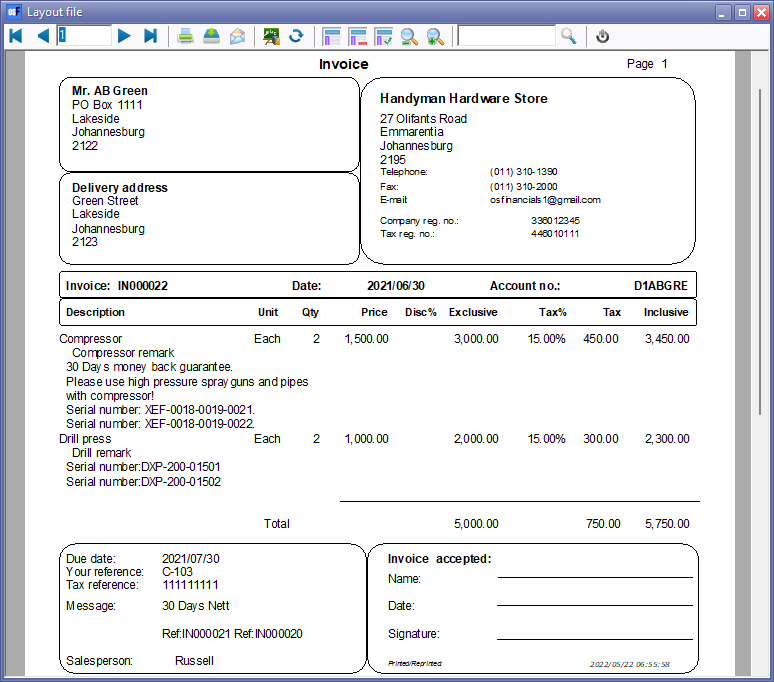
The "Layout file" does not print stock codes, but only stock descriptions.
Document layout file

The "Document layout" file does not print stock codes, but only stock descriptions.
Document layout (15-code) file

The "Document layout file" prints stock codes (of up to 15-digits – Maximum allowed creating stock items) and stock descriptions.
Delivery note
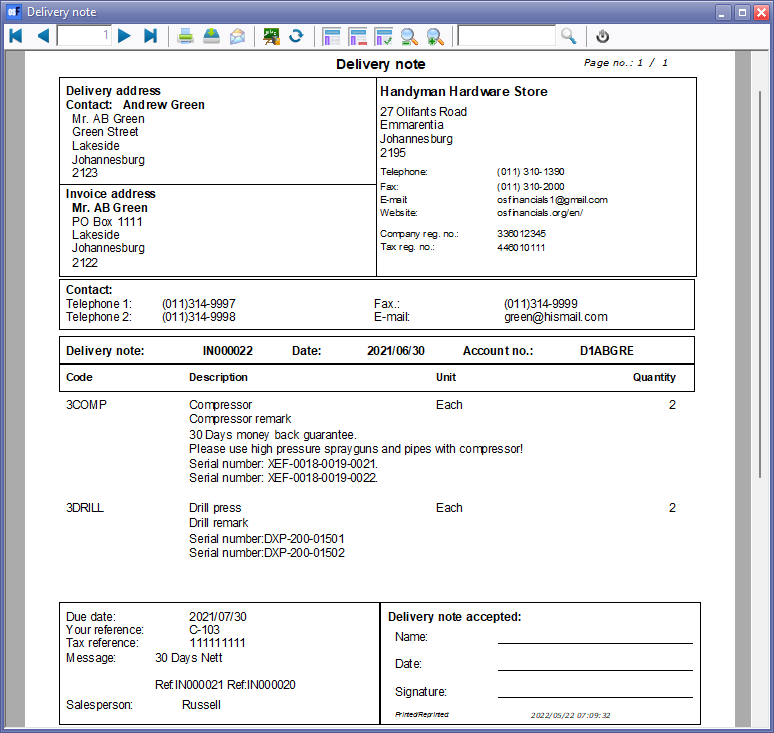
The "Delivery note" prints stock codes (of up to 15-digits – Maximum allowed creating stock items) and stock descriptions.
Point-of-Sales (POS)
POS - START -SP100 - layout file
This layout file may be used for till slip printers

The "POS - START -SP100" layout file does prints stock codes and stock descriptions.
The Cashup in the footer sections will only display actual values when POS payments are processed.
POS 2
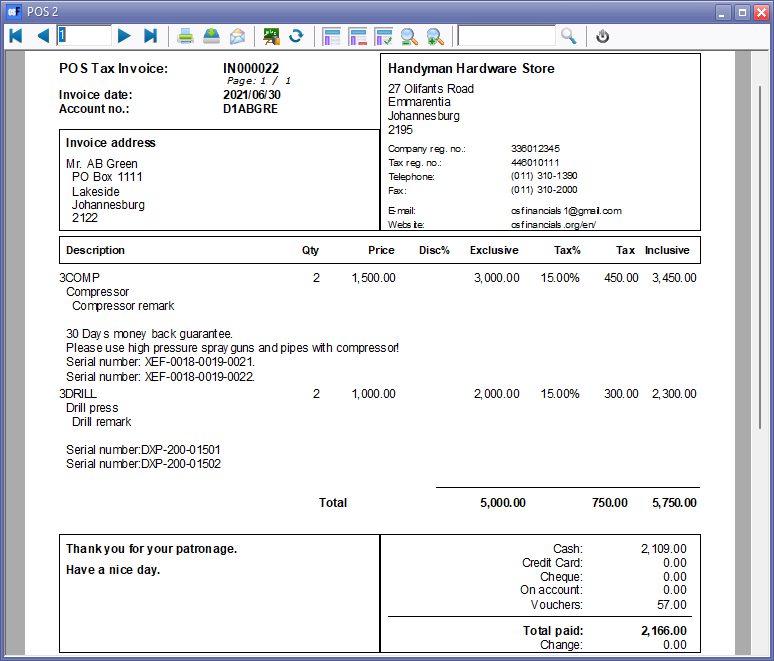
The "POS 2" layout file prints stock codes and stock descriptions.
The Cashup in the footer sections will only display actual values when POS payments are processed.