
Context menu - Confirm
Document listing → Documents per account
Unprinted document listing only included posted documents - Confirmed unposted documents is excluded.
Posted document status
By default, the "Status" of a posted (updated to the ledger) document (i.e. Invoice, Credit note, Purchase or Supplier return), is set as "Posted". Posted documents cannot be edited.

Unposted document status
By default, the "Status" of an unposted document (i.e. Invoice, Credit note, Purchase or Supplier return), is set as "Unposted". Unposted documents can be edited.

Note the "Status" is set to "Open" for an unposted document, and cannot be changed. You may edit the Unposted document.
After posting an unposted document (i.e. Invoice, Credit note, Purchase or Supplier return), the "Status" will be displayed as "Posted".
Confirmed unposted document status
To change an unposted document status from "Open (Unposted)" to "Confirmed":
Choose the unposted document (i.e. Invoice, Credit note, Purchase or Supplier return), right-click and select Documents → Confirm on the context menu.
The "Status" of the unposted document will change from "Open" to "Confirmed".

Once document status, is set to "Confirmed" you may filter the document status for a Confirmed documents.
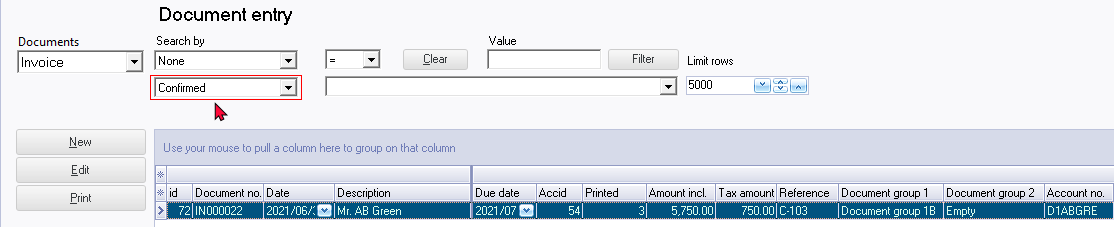
Confirmed posted document status
Posting a "Confirmed" unposted documents (i.e. Invoices, Credit notes, Purchases or Supplier returns), it will change the document's "Status" from "Confirmed" to "Posted".
