




Page 2 of 11
Add / Activate Multi-Language Feature
By creating / adding languages, languages may be translated on various screens.
To Add / Activate Multi-Language Feature:
- Go to Setup → Groups.
- Click on the Languages tab.
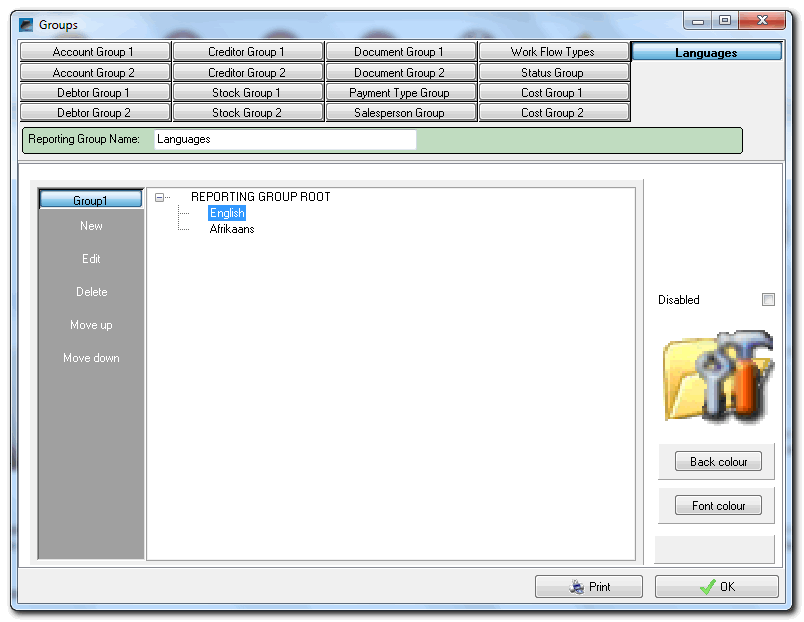
- Click on the REPORTING GROUP ROOT and click on the New button.
- Enter the Name and Description for the Language (e.g. English, Afrikaans, etc.).
- Repeat the process to add all required languages.
- Select the Language and right-click and select the Languages on the context menu.
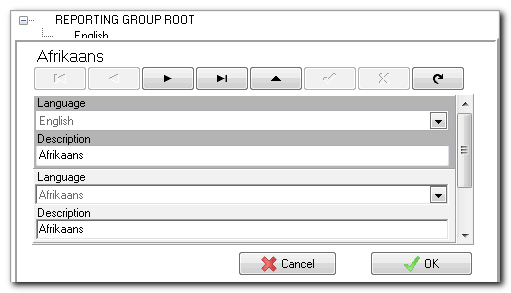
- Enter the Name and Description for each language.
- Click on the OK button.
- Repeat the process for all Languages.
- Click on the OK button of the Groups screen.